

Appearance
描边宽度
🌐 Stroke width
所有图标都是使用带有描边的 SVG 元素设计的。这些描边的默认宽度为 2px。
🌐 All icons are designed with SVG elements using strokes. These have a default stroke width of 2px.
strokeWidth 可以调节,以创建不同样式的图标。
🌐 The strokeWidth can be adjusted to create a different look of the icons.
使用 strokeWidth 输入调整笔画宽度
🌐 Adjusting stroke width with the strokeWidth input
绝对笔触宽度
🌐 Absolute stroke width
在绑定 size 输入时,图标的描边宽度将与其大小成比例,这是默认的 SVG 行为。引入 absoluteStrokeWidth 输入是为了调整此行为,使无论图标大小如何,描边宽度保持恒定。
🌐 When binding the size input, the icon's stroke width will be relative to its size, this is the default SVG behavior. The absoluteStrokeWidth input is introduced to adjust this behavior to make the stroke width constant no matter the size of the icon.
这意味着当启用 absoluteStrokeWidth 并且图标的 size 设置为 48px 时,屏幕上的 strokeWidth 仍将是 2px。
🌐 This means that when absoluteStrokeWidth is enabled and the size of the icons is set to 48px the strokeWidth will still be 2px on the screen.
注意 2px 是 Lucide 图标的默认笔画宽度,这可以调整为所有尺寸。
🌐 Note 2px is the default stroke width for a Lucide icon, this can be adjusted to all sizes.
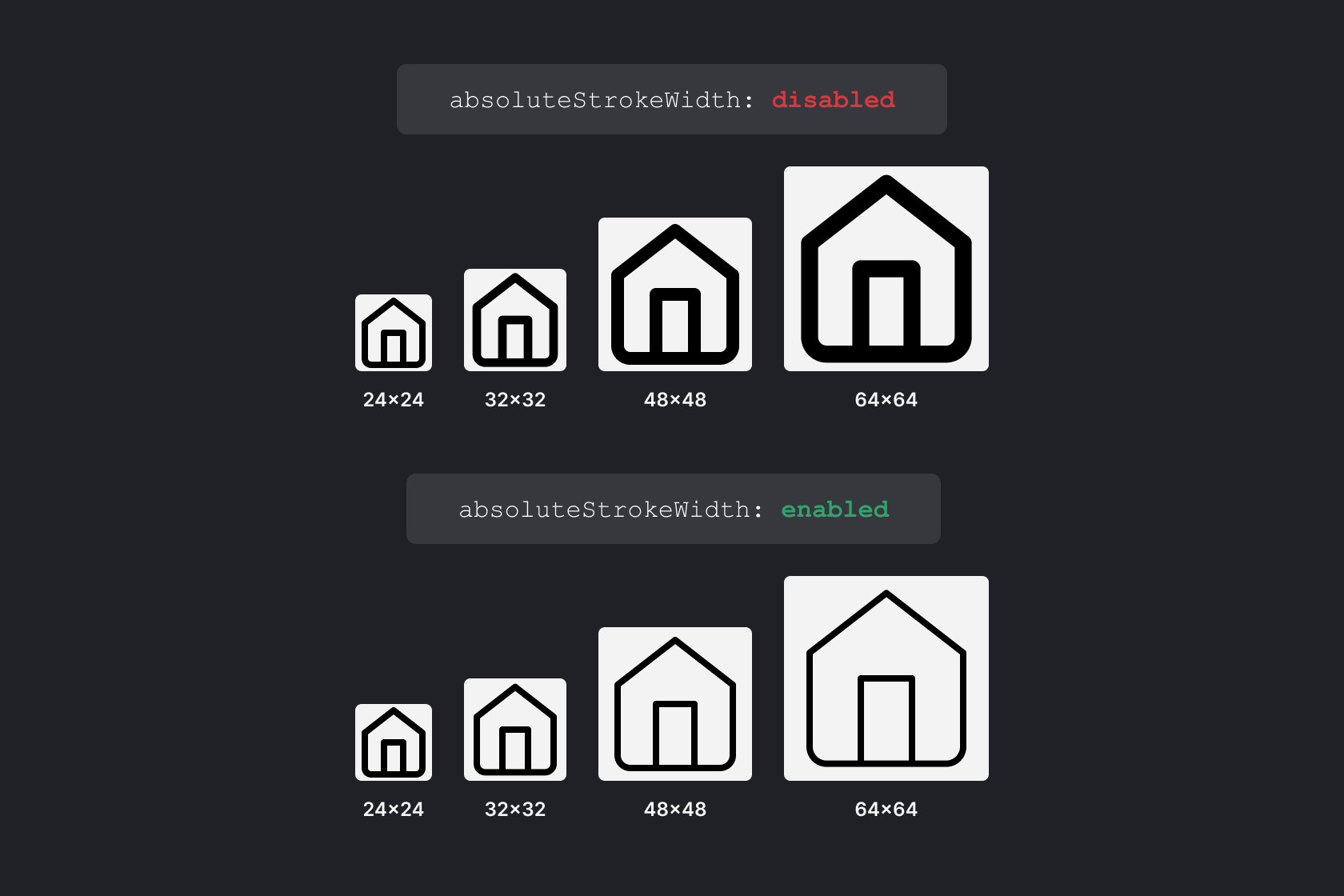
使用 absoluteStrokeWidth 输入调整笔画宽度
🌐 Adjusting stroke width with absoluteStrokeWidth input
将 absoluteStrokeWidth 设置为 true 将使笔画宽度变为绝对值。
🌐 Setting absoluteStrokeWidth to true will make the stroke width absolute.